Why You Need an LED Wall Calculator
Planning an LED video wall is not as simple as picking a screen size and plugging it in. You need to calculate resolution based on pixel pitch, determine controller capacity, estimate power draw, plan data cable runs, and ensure the physical layout fits your venue.
For professionals in the rental, staging, and AV integration space, LED wall calculators have become indispensable tools. They eliminate guesswork, reduce errors, and save hours of manual math. Whether you are designing a flat wall for a corporate event, a curved display for a concert stage, or a complex custom configuration, the right calculator tool can make the difference between a smooth installation and a costly mistake.
In this guide, we review the most trusted LEDwall calculator and LED screen calculator tools available today from free online platforms to industry-favorite mobile apps. We will also cover the key features you should look for and how to choose the right tool for your workflow.
Top LEDWall Calculator Tools for 2026
1. CurveLED Design: Best for Curved and 3D Visualization
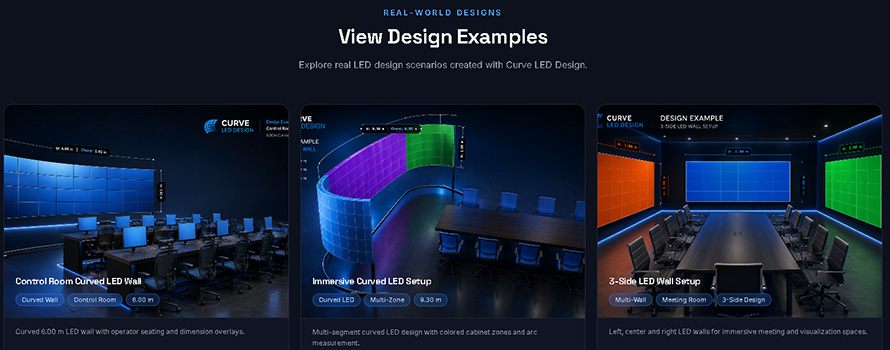
CurveLED Design is a free online LED video wall calculator and visualizer designed specifically for flat and curved LED walls. Created by AV specialist Hossam Kurdi who identified a gap in available tools for curved layouts, sightline studies, and vertical viewing angles, it addresses a real industry need.
Key Features of CurveLED Design:
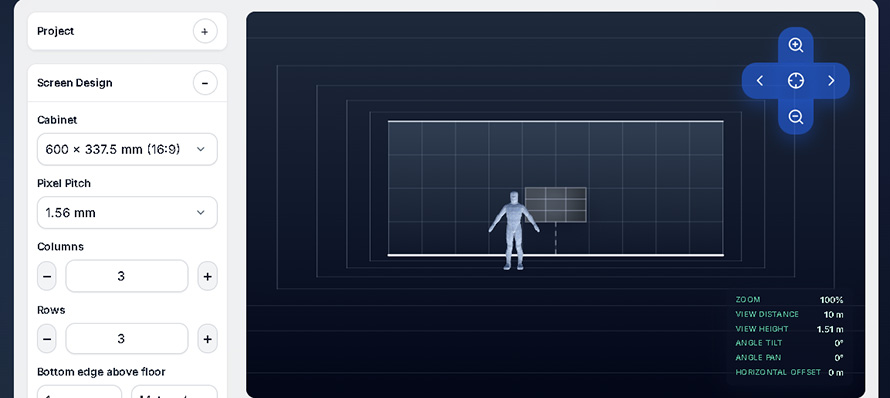
Design curved LED displays with 3D visualization
Perform sightline studies to optimize viewer experience
Evaluate vertical viewing angles
Calculate resolution, controller capacity, viewing distance, power requirements, and more
This LEDwall calculator is best for AV designers, system integrators, and production professionals working on curved or immersive LED installations where standard flat-wall calculators fall short.
Search this website: www.curveleddesign.com
2. LED Wall Central is Highly Praised for the Largest Panel Database
LED Wall Central is a vendor database-driven calculator widely recognized as a go-to resource in the LED community. It is powered by what is claimed to be the largest LED panel database available.
Features of LED Wall Central Calculator :
Instant calculation of screen dimensions, resolution, pixel pitch, power requirements, and data cable layouts
Auto-calculates panel volume, resolution, weight, circuits, and power consumption
Supports indoor LED walls, outdoor digital billboards, retail displays, and stage backdrops
Offers 8 core options: Wiring, Rotate, Guide, Image, Scaling, Figure, Mount, and Settings
Reset button for clearing all settings
LED Wall Central’s calculator is popular with installers, event planners, AV integrators, and venue managers who need quick, database-backed calculations across a wide range of manufacturers.
By the way, I don't suggest you use LED Wall Central Calculator as a LED wall cost calculator. Prices of LED displays vary with many market factors, so you can come to the LED display manufacturers or the distributors to ask for a more precise quotation. In general, LED Wall Central provides a very useful video wall size calculator.
LED Wall Central website: www.ledwallcentral.com
3. FidoLED is the Industry Standard Mobile App
FidoLED is widely regarded as the GOAT among many LED technicians. Fido LED Calculator started as a simple PC and Mac calculator for Barco LED products and has evolved into a comprehensive mobile app available on both iOS and Android. For your information, FidoLED no longer supports PPC version of Mac’s as they don’t think anyone uses those anymore.
Stunning Features of Fido LED Calculator:
1. Dial up the manufacturer, select the model, and enter the desired size in modules (tiles), pixels, meters, millimeters, inches, or feet;
2. Instantly returns pixel count, width, height, and other specifications;
3. Generate printable reports and pixel grids for pixel-mapped content creation;
4. Export information as PDF directly from the app;
5. Users can request new panel models to be added to the database quickly.
FidoLED is best for LED technicians, video engineers, and rental professionals who need on-the-go calculations and pixel-mapping support.
You can download FidoLED on Google Play and APPLE Store.

4. PixelCal for Quick Wall Sizing and Sanity Checks
PixelCal is recommended as a reliable LED wall planning option for quick wall sizing and sanity checks. If you are comparing tools, PixelCal is another LED wall calculator worth checking out.
Features of PixelCal:
1. Rapid wall sizing for quick project assessments;
2. Useful for sanity-checking calculations from other tools;
3. Streamlined interface focused on essential metrics.
PixelCal is very useful for the professionals who need a fast, no-frills calculator for initial project planning and verification.
PixelCal website: pixelcal.com
10 Features to Look For in an LED Wall Calculator
Here are some essential features that separate professional-grade tools from basic ones:
1. Resolution and Pixel Pitch Calculation
The tool should automatically compute total resolution based on cabinet size and pixel pitch. A good LED screen resolution calculator prevents engineering failures by rounding desired dimensions to the nearest functional cabinet count.
2. Controller / Processor Capacity and Bitrate
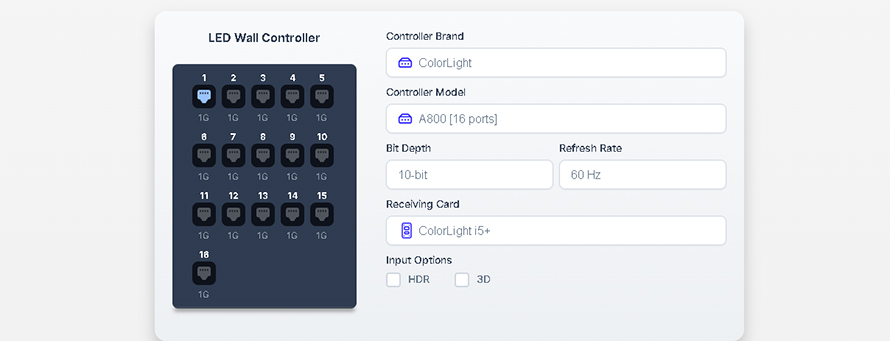
Calculator tools should estimate controller capacity and clearly state bitrate assumptions. The bitrate should be visible and changeable so you can plan for different processor configurations.
3. Physical Layout and Curvature
Curved-wall visualization and cabinet layout are essential for modern productions. Look for tools that let you visualize flat or curved LED walls in 2D or 3D.
4. Cabling/Port and Grouping Logic
Prefer tools that allow you to plan cable runs and port grouping rather than forcing mid-row runs. This is critical for efficient on-site installation and troubleshooting.
5. Database Coverage
Tools with comprehensive manufacturer databases are highly valued. The broader the database, the less time you spend manually entering specifications.
6. Export Capabilities
For proposals and project documentation, prefer calculators that produce wiring diagrams, technical briefs, and pixel maps that can be sent to project managers and installation crews.
7. Offline Functionality
Tools that work offline are invaluable for on-site work where internet access may be unreliable.
8. Consider Viewing Distance
The LED resolution calculator should help you match pixel pitch to viewing distance. A smaller pitch equals higher pixel density and is suitable for closer viewing distances.
9. Plan for Power
Always calculate power draw with a safety margin. Professional tools will factor in derating (typically 80% for 20A circuits) and provide circuit counts.
10. Document Everything
For proposals, export wiring diagrams and technical briefs. This not only helps with installation but also builds client confidence in your professionalism.
Choose the Right Tool for Your Workflow
The best LED wall calculator for you depends on your specific needs.
Whether you are a rental company planning your next concert tour, an AV integrator designing a corporate lobby, or a technician troubleshooting on site, there is a tool that fits your workflow. The key is to use calculators to speed up your work, but always validate your results with practical experience and manual cross-checks.

 2026-08-11